


iJewels: Classic Gem-Matching Fun
Overview
iJewels is a classic gem-matching puzzle game designed for iOS devices, offering a familiar yet engaging experience reminiscent of Bejeweled. The game centers on the core mechanic of swapping adjacent gems to create lines of three or more matching colors, triggering chain reactions and clearing tiles from the board. Players progress through levels by achieving set targets, managing time constraints, or striving for high scores in endless play. The game is tailored for casual gamers seeking a relaxing, visually appealing pastime that fits seamlessly into short breaks or longer sessions.
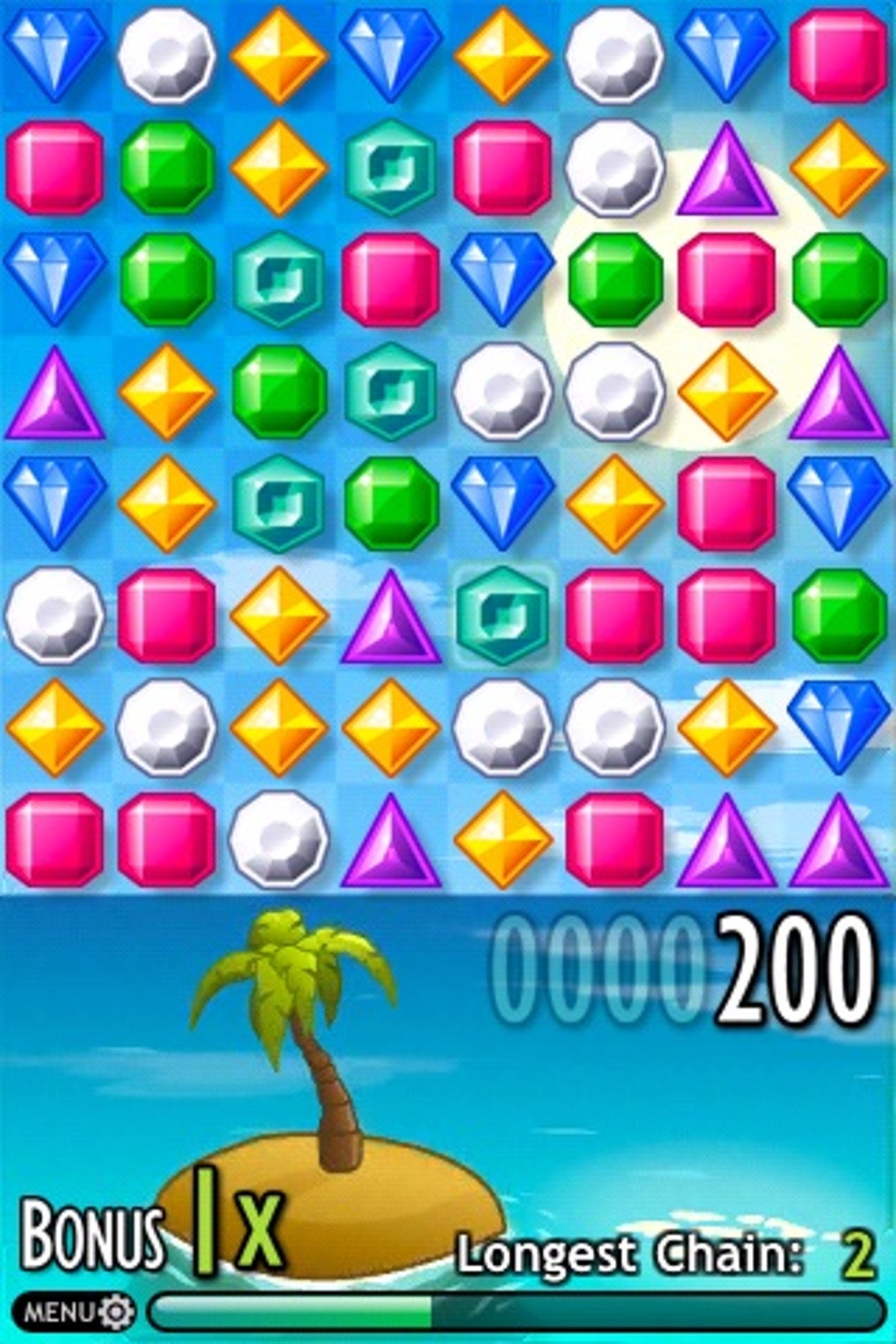
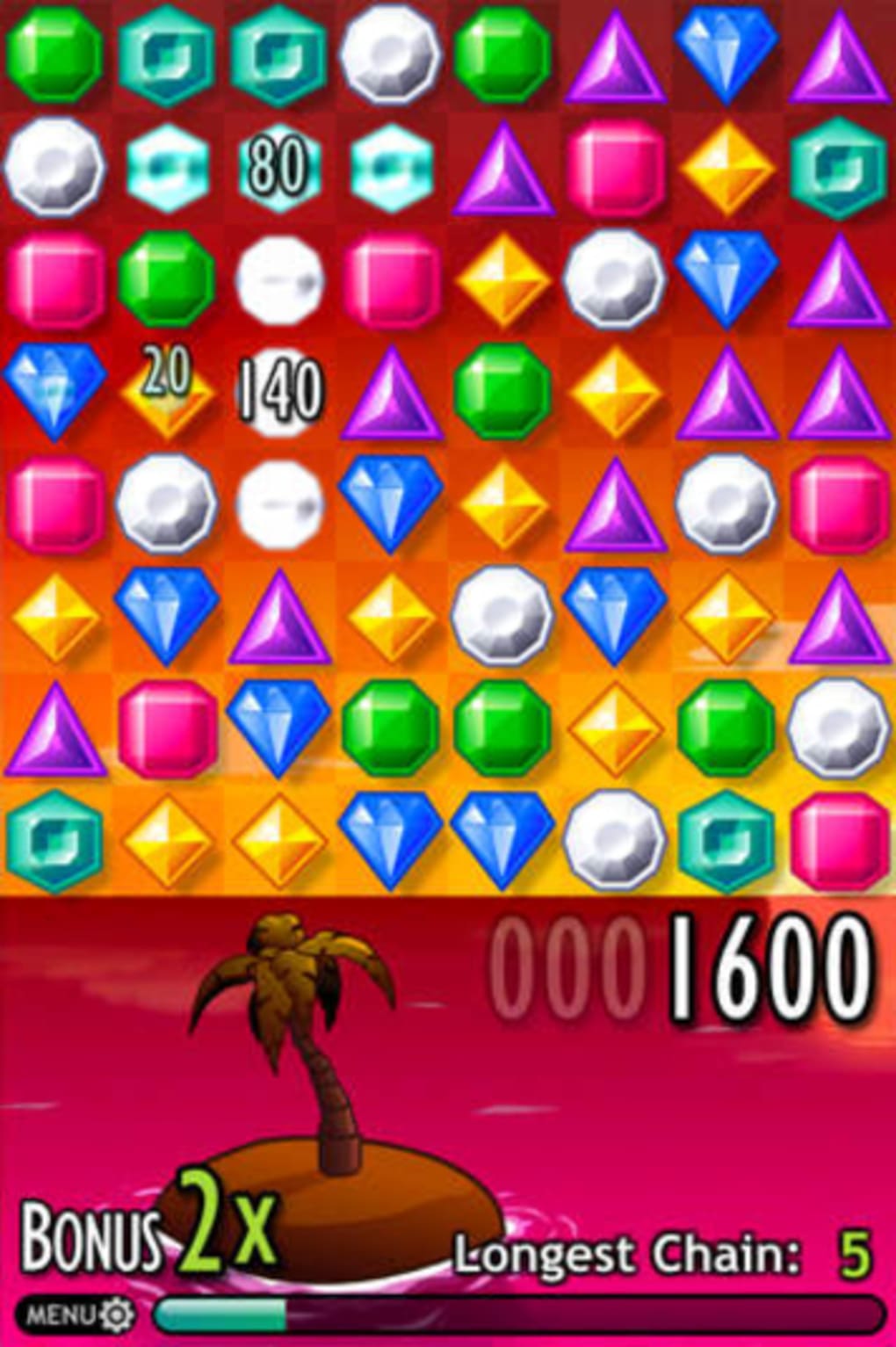
Target users include mobile gamers who enjoy simple yet strategic puzzle mechanics, fans of match-3 games, and users looking for a lightweight, offline-capable entertainment option. The developer did not provide additional background information. Real-world usage scenarios include commuting, waiting in line, or unwinding after work. The game’s presentation features colorful, sparkly gems and imaginative backgrounds, complemented by soothing classical music and well-crafted sound effects, enhancing immersion and user engagement.
Key Features & Capabilities
- Three Game Modes: Normal mode challenges players to complete a set number of matches to advance, Timed mode adds urgency with a countdown, and Infinite mode encourages long-term play to achieve the highest score.
- Quick Game Mode: A newly added time-limited challenge where players have 75 seconds to maximize their score, featuring a dedicated leaderboard for competitive tracking.
- Visual & Audio Design: Vibrant, sparkly gem graphics and imaginative backgrounds create an appealing aesthetic. Soothing classical music tracks and crisp clinking sound effects enhance the sensory experience.
- Score & Progress Tracking: Players can view their best scores, track rankings, and see performance across global leaderboards. The game remembers the last selected score list for convenience.
- Game Center & Scoreloop Integration: Supports online leaderboards and achievements, allowing users to compare progress with friends and global players.
- Improved User Experience: Includes visual warnings when time is nearly up (at the 10-second mark), fixes issues with hint display after game reload, and restores proper functionality of score list paging arrows.
These features support a smooth, intuitive gameplay loop. For example, the Quick Game mode caters to users seeking fast, high-intensity sessions, while the persistent score tracking helps maintain long-term engagement. The integration of Game Center enables social competition, and the refined UI elements improve usability during repeated play.
User Interface, Workflow & Performance
The user interface of iJewels is clean and focused on the central game board, with minimal distractions. Navigation is straightforward: players tap to select a gem and tap an adjacent gem to swap positions. The visual feedback for successful matches is immediate and satisfying, with gems disappearing and those above falling down in a smooth cascade. The interface adapts well to touch input, ensuring responsive interactions.
Workflow efficiency is strong, with intuitive controls and clear visual cues. The game does not require complex setup or tutorials, allowing new players to start immediately. The developer did not specify resource usage details, but the 10.2 MB file size suggests a lightweight application with minimal system impact. Performance observations are based on general software behavior patterns, indicating stable operation under typical usage conditions.
Stability appears consistent, with recent updates addressing known issues such as incorrect hints after loading a game and problems with score list selection persistence. The game runs offline, making it accessible without internet connectivity. No performance bottlenecks or crashes were reported in the provided information.
Compatibility & System Requirements
iJewels is designed for iOS devices and requires a minimum iOS version of 3.1, which ensures broad compatibility with older iPhone and iPad models. The application is available on the App Store and supports all devices that meet the minimum OS requirement. The installation size is 10.2 MB, indicating a compact footprint that conserves storage space.
Exact system requirements were not listed. Compatibility information was partially provided, focusing on OS version and file size. No specific hardware details such as CPU, RAM, or GPU specifications were included. Users should ensure their device runs iOS 3.1 or later to install and use the software.
Pros and Cons
Pros
- Engaging, fast-paced gem-matching gameplay with multiple modes
- Stylish visuals and soothing classical soundtrack enhance immersion
- Lightweight at just 10.2 MB, ideal for devices with limited storage
- Offline functionality allows play without internet access
- Supports Game Center and Scoreloop for social and competitive tracking
- Recent updates improved usability and fixed key bugs
Cons
- Lacks advanced features like power-ups and bonus mechanics
- Does not include social sharing options such as Facebook Blitz mode
- Minimal visual variety in game board themes
- Outdated version (1.5.0) may lack support for newer iOS versions
- Sound effects and music are limited to classical tracks, which may not appeal to all users
FAQ Section
Is iJewels compatible with my iPhone?
iJewels requires iOS 3.1 or later. If your device runs a compatible version of iOS, the game should install and function properly. The developer did not specify device-specific compatibility beyond the OS requirement.
Is iJewels safe to download and use?
As a free application available on the official App Store, iJewels is distributed through Apple’s secure platform. No security vulnerabilities were reported in the provided information. Users should ensure they download the app from trusted sources to maintain device safety.
Does iJewels require an internet connection?
While the game supports online features like Game Center and Scoreloop, iJewels can be played entirely offline. Core gameplay, including all modes, functions without an internet connection.
Are there any in-app purchases or ads?
Based on the provided details, iJewels is offered as a free download with no mention of in-app purchases or advertisements. The absence of such elements suggests a clean, ad-free experience.
How often are updates released?
The latest version is 1.5.0, released on June 1, 2014. While recent updates have addressed usability issues and added new features like Quick Game mode, no information on the update frequency was provided. Users should check the App Store for future updates.
Final Thoughts + CTA
iJewels delivers a polished, nostalgic gem-matching experience that stands out for its visual appeal, smooth gameplay, and thoughtful design touches. While it may lack some modern features like power-ups or social integration beyond Game Center, its core mechanics are refined and highly replayable. The addition of Quick Game mode and improved score tracking adds fresh dimensions to the classic formula.
It’s best suited for casual gamers who appreciate timeless puzzle mechanics and a serene, music-driven atmosphere. For users seeking a lightweight, offline-capable game with minimal distractions, iJewels remains a solid choice. Its enduring charm and consistent performance make it a worthwhile download for fans of the genre.
Download iJewels now







